
Microsoft .NET 7.0, previously used in Team Sharing, is now out of support. Therefore, Team Sharing has been upgraded to use .NET 8.0 to ensure continued performance, security, and stability.
The updated Team Sharing installer will automatically install .NET 8.0 on your machine, if it is not already present.
We highly recommend that all Team Sharing users upgrade to the latest version.
Thank you for your attention and continued support.
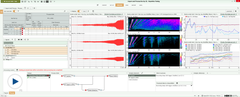
There is a new application, Repetitive Processing, that is now available to all users with a valid Data Processing license (Type 8403 or Type 8403‑A). The Repetitive Processing application is designed to perform analysis of recorded data under various operating conditions and configurations. This is perfect for test engineers and operators to set up and/or perform well‐defined processes for benchmarking and standard/repetitive data processing. Test scenarios include:
Troubleshooting issues with machinery such as motors, generators, and compressors
Validating rotating components
Diagnosing excessive noise or vibration in test objects prior to development or release
For more information, see the documentation in the software.
Added support for Fusion-LN 12-channel module Type 3073 along with 12-channel front panel UB 2107 12 (51.2 kHz, SMB connectors).
Added support for digital and analog tests of Fusion-LN modules in the Front-end Setup program.
Improvements to user-defined reference curves
Added ability to create reference shock response spectra and reference order spectra.
Interpolation on reference curves is selectable using either Lin or Log.
The BKC File Repository Editor now includes editing of metadata on BKC files in the file repository.
Features, updates and enhancements that were included with version 2025.0:
Team Server has been renamed to Team Sharing to better describe the concept, remove the confusion about what is installed on your PC and emphasize the key benefit.
A new Data task has been added where you can edit the metadata of BKC files (*.bkc) stored in the file repository. This enables you to clean up the files in your repository for improved data archiving and querying.
Added import support of Hdf5 files from Tescia.
New web app for Team (File) Sharing.
Added reference curve types: CPB and order spectra.
Additional LAN switches are available to choose from in the Front-end Setup program (Synch Setup dialog), including PTPv2 switches for improved PTP synchronization.
All import/export file formats available in Data Viewer Type 8400 license are now available in all applets.
The Test-based Viewer display feature is extended with a cancel option in both the Fast and Standard displays to stop the display process if your selection includes too many files and signals and thereby takes a long time.
Features, updates and enhancements that were included with version 2025.0:
New hot keys created for start, stop and reset in the Record and Process task.
The displays in the Record and Process task improved with Test-based Viewer functionality.
Added display types and display layouts to Test-based Viewer allowing you to quickly define how test results are displayed and compared.
Features, updates and enhancements that were included with version 2025.0:
Generator fans shut-off automatically when measurement begins.
Several enhancements have been implemented to increase performance and usability when performing large-channel modal surveys, such as Ground Vibration Testing (GVT) of aircraft.
The enhancements have been aimed at stepped sine measurements, but many have an impact on structural measurements in general, as well as on other sound and vibration measurements.
The enhancements cover everything from setup, initialization and data acquisition, to data processing, data display and persistence.
Features, updates and enhancements that were included with version 2025.0:
The Results Mode subtask used in the Hammer, Shaker and Stepped Sine Setup and Measurement tasks has been revamped for a more user-friendly and efficient interface with stronger display capabilities as known from the Test-based Viewer task.
Hot keys have been added to the most used buttons in the Measurement Control in the Hammer, Shaker and Stepped Sine Setup and Measurement tasks.
A-weighting on sound pressure time signals is now also implemented for frequency spans below 1.6kHz in the Hammer and Shaker Setup and Measurement tasks.
Features, updates and enhancements that were included with version 2025.0:
Added support for new Array Microphone Type 4957.
Features, updates and enhancements that were included with version 2025.0:
Background noise correction and validation can be implemented as per R51 Annex 3 standard, including two new test groups:
Background noise before
Background noise after
Added a 'toggle' button that allows you to show/hide background noise runs in measurement tasks.
In order to speed up processing, the Indoor Pass-by Set Up task now contains a slimmed-down version of the Test Plan, with only the most minimal of parameters for proper testing according to the standards.
Pass-by Calculations now include tyre noise calculations to enable a better and seamless support of tyre noise corrections.
BKCSV-764 Fixed: BK Connect can now export ANSI encoded .atfx files.
BKCSV-688 Fixed: BK Connect can now import .atfx file made from Simcenter TestLab.
LAB-6696 Enhanced: Added functionality in the Front-end Setup to execute digital tests on Fusion-LN devices using the OpenDAQ SDK.
BKCSV-395 Fixed: Main cursor order part in fast contour plot is now aware of transposed state and the non-equidistant axis.
BKCSV-311 Fixed: Fast display contour plots of frequency vs RPM of a run-down analysis, using the FFT vs RPM element, now renders correctly including corresponding order cursors.
BKCSV-265 Fixed: Edits of markers and regions on recordings persist after reloading the recordings.
BKCSV-267 Fixed: The order of time regions in the Project Browser no longer changes when reloading a project.
Pass-by Volume Velocity Measurement BKCSV-766 Fixed: Wav files now work in Shaker Setup, Shaker Measurement and VVS Setup and VVS Measurement.
BKCSV-672 Fixed: Issue with incorrect frequency values when exporting data from one or all mesh points in the Acoustic Camera to Excel has been fixed.
Added support for Fusion-LN 12-channel module Type 3073 along with 12-channel front panel UB 2107 12.
Added support for digital and analog tests of Fusion-LN modules in the Front-end Setup program.
Two new transducers added to the transducer database: Types 4989-A-001 and 4531-C-001.
It is now possible to stop the Multibuffer at a specific index, which is defined through an index counter in the PULSE LabShop interface. An OLE interface has been created on the Multibuffer object as well.
Simplified interface for waveform generator setup when using LAN-XI generator module.
Features, updates and enhancements that were included with version 29.0
Added CAN-FD support to the existing CANcard/CANbox solution in Labshop (CANLogger)
Added support for CAN signals and CAN-FD signals from vector
The Transducer Database has been updated with additional HBK-branded Dytran transducers
Additional LAN switches are available to choose from in the Front-end Setup program (Synch Setup dialog), including PTPv2 switches for improved PTP synchronization.
The Pass-by software has been updated in-line with latest R138 and US141 standards. This includes the following additions:
It is possible to toggle the visibility of the State column of the Result table, in order to conform to indoor tests R138 and R13-02.
The measurement time in Test mode is now user-definable, with a range from 5.0 to 20.0 seconds.
Features, updates and enhancements that were included with version 29.0
Added support for R51 Revision 03 Amendment 10
Added support for R117-04 Series Supplement 2
Added support for ISO/DIS 16254:2023
Implementation of UN Regulation 138 Rev. 2 extended:
Max Hold Spectrum is displayed for both sides in stead of the lower one
A pair of microphones, instead of groups (2 × 5) of microphones, is enough to run the measurement.
It is possible to work without engine speed signal in Standard mode.
In addition to the standard forward 10k, forward 20k, reverse 6k, and reverse standstill, it is possible to add additional conditions with user-defined speeds.
Features, updates and enhancements that were included with version 29.0
Added support for Array Microphone Type 4957 in the Array Acoustics Measurement and Post-processing suite of applications.
In the directivity measurements interface, you can enable setup of Turntable Type 9640 via a web interface.
In PULSE Sound Power, if a reference sound source (RSS) has been chosen for environmental correction, modification of K2 values are now disabled.
Features, updates and enhancements that were included with version 29.0
PULSE Sound Power: In the Directive 2000-14 template, using a parallelepiped geometry, it is now possible to enter a user-defined measurement distance
PULSE Array Acoustics Suite: Support for Array Microphone Type 4957 in Acoustic Test Consultant
PULSE OMA: Enhancements have been implemented from more flexible and faster workflow to improved algorithms. For a detailed history of enhancements and bug fixes please look in the Version History in the PULSE OMA Help system. The latest Help system can be download from Preferences > Help in the Start menu.
Enhancements have been implemented from more flexible and faster workflow to improved algorithms.
LabShop LAB-6767 Fixed: Overload information in Level meter display has been updated.
LabShop LAB-6817 Fixed: Project files can again be loaded without issue.
Array Acoustics Suite AAS-4311 Fixed: It is again possible to activate the NSI Array Fixed Measurement template.
Array Acoustics Suite AAS-4312 Fixed: The three intensity based sound power templates have been updated to get the same start task as the more generic Intensity mapping template.
PB-1504 Enhancement: The Pass-by software has been updated in-line with latest R138 and US141 standards.
PB-1513 Fixed: Reports generated when exported to Word has been improved.
PB-1515 Fixed: Exporting reports using 64-bit Microsoft Office is now supported.
Sound Power Earth-moving Machinery SP-1530 Fixed: In the report generated by the template, it now contains the correct number of microphones.
PULSE Source Path Contribution LAB-6786 Fixed: The software no longer crashes when pressing F1 for help.
PULSE Source Path Contribution LAB-6805 Fixed: The software no longer crashes when pressing F1 for help.
PULSE Acoustic Material Testing LAB-6817 Fixed: Found issue to corrupt project and fixed. Software running again as normal.
PULSE OMA: For a detailed history of enhancements and bug fixes please look in the Version History in the PULSE OMA Help system.
For a detailed history of enhancements and bug fixes, please look in the Version History in the PULSE OMA Help system.
This will bring together HBM, Brüel & Kjær, nCode, ReliaSoft, MicroStrain and Discom brands, helping you innovate faster for a cleaner, healthier, and more productive world.