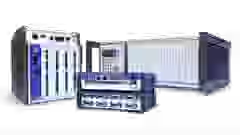

QuantumX
QuantumX is a universal, modular DAQ system delivering high‑precision measurement and flexible real-time data acquisition – ideal for vehicle and structural testing together with the catman DAQ software.
Read More

HBK provides an open data acquisition eco system, to enable customers and partners to integrate the powerful data acquisition solutions into basically any PC software or system. Therefore, HBK offers native drivers and interfaces for the most common PC software packages. In addition some software providers offer their own drivers.
 QuantumX/SomatXR | 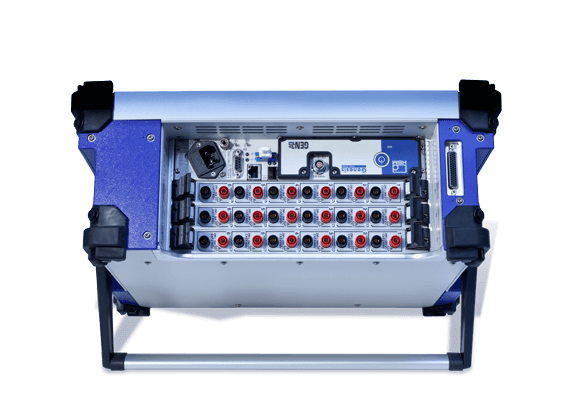 Genesis HighSpeed | 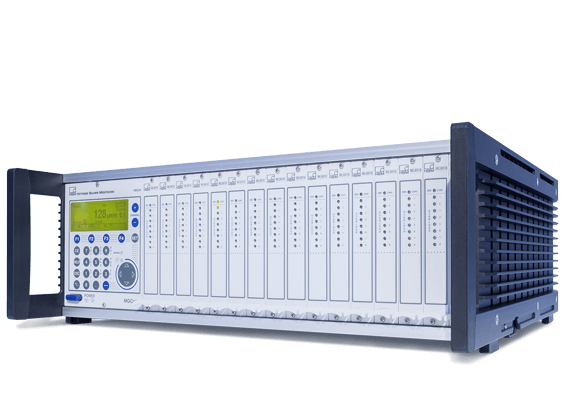 MGCplus | 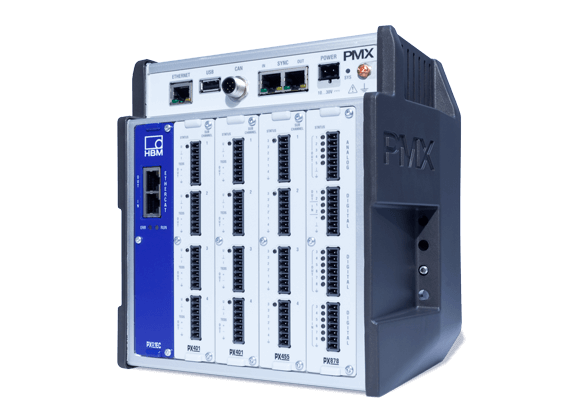 PMX | |
| LabVIEW |  | | | |
| API | | | | |
| DIAdem | |  | | |
| CANape | | | | |
LabVIEW software helps visualizing your application, including hardware configuration and measurement data. The graphical programming approach makes it easy to implement the precise HBK DAQ systems. Choose from three different LabVIEW Drivers:
Customers of these HBK DAQ systems benefit twice: General commands such as device scan, channel selection, and measurement are the same for these systems so no re-programming of these components is required when changing over to new hardware.
Integration of QuantumX, SomatXR, PMX and MGCplus in LabVIEW
Functionality is provided in LabVIEW through VIs. The driver is provided for free in the PACEline CMD600 download section with an example and documentation.
LabVIEW DAQ Set Up
LabVIEW: Channel Set Up
LabVIEW: Visualization
| LabVIEW | |
| Hybrid systems possible | |
| Synchronization of systems | NTP(all), PTP(Qx), and Sync-cable(all). |
| Settings via Driver | Device Scan, Filter + Sample Rate, and Data Acquisition. |
| Parameterization of DAQ | With MX Assistant or MGCplus Assistant |
| Device scan | |
| Measurement configuration | Only sample rate and filter |
| Sensor configuration | No dedicated VIs |
| Analog IN DAQ | |
| Analog Out (direct setting) | |
| Analog Out (channel routing | |
| Digital In/Out DAQ | |
| Digital Out (direct setting) | |
| CAN DAQ | PMX: only via CODESYS / calculated channels |
LabVIEW is a trademark of National Instruments. Neither HBK, nor any software programs or other goods or services offered by HBK, are affiliated with, endorsed by, or sponsored by National Instruments.
The HBK common API enables users to develop their own PC software application using Microsoft®Visual Studio® and to integrate HBK data acquisition systems such as QuantumX, SomatXR and MGCplus for test and measurement tasks as well as the PMX production line.
All aspects of device communication are supported:
Benefit from the integration into your own customer or test solution and protect your know-how with an individual user interface and language.

CommonAPI: Demonstration
CommonAPI: Demo
| HBM Common API | |
| Device scan (find and connect in the network) | |
| Channel configuration (sensor / channel type, scaling, sample rate, filter, etc.) | |
| Acquire data stream (time stamped) | |
| Input | |
| Analog Output | |
| Digital Input / Output | |
| CAN FD / CAN Input (decoding, raw data stream) | |
| Hybrid systems (combining different DAQ systems such as MGCplus, QuantumX, etc.) | |
DIAdem is a software application developed by National Instruments, focused on the localization, inspection, and analysis of measurement data. With the HBM DIAdem driver, QuantumX, SomatXR, PMX, and MGCplus can be integrated for data acquisition. The HBK sensor database enables easy parameterization of sensors.
Additional Tools
Installation of the HBK DIAdem driver

DIAdem: DAQ Driver Input
DIAdem: Visualization
DIAdem: Device Setup
| DIAdem Version 1.2 | |
| Hybrid system | |
| System synchronization | NTP(all), PTP(Qx) and Sync-cable(all) |
| Driver settings | Device scan, filter + sampling rates and data acquisition |
| Data acquisition parameterization | With the MX Assistant or the MGCplus Assistant |
| Device scan | |
| Measurement configuration | Only sampling rates and filter rates (not filter type) |
| Sensor configuration | |
| Analog IN DAQ | |
| Analog Out (direct setting) | |
| Analog Out (channel routing) | |
| Digital In/Out DAQ | |
| Digital Out (direct setting) | |
| CAN DAQ | |
The integration of QuantumX/SomatXR data acquisition with CANape software allows the user to record high-speed signals from external sensors with up to 96,000 samples per second and channel, in parallel with the recording of the ECU signals. All the signals are recorded synchronously and in one file, which saves a lot of time.
Additional resource
Integration of QuantumX in CANape
CANape: Creating a device
CANape: Device Configuration - Part 2
CANape: Configuring the Measurement
CANape: Measurement
| CANape | |
| Hybrid systems possible | Only QuantumX + SomatXR |
| Synchronization of systems | NTP: module needs to be synchronized with Host PC |
| Settings via Driver | Data acquisition |
| Parameterization of DAQ | Only via MX Assistant |
| Device scan | Only via MX Assistant |
| Measurement configuration | Only via MX Assistant |
| Sensor configuration | Only via MX Assistant |
| Analog IN DAQ | Only via MX Assistant |
| Analog Out (direct setting) | Only via MX Assistant |
| Analog Out (channel routing) | Only via MX Assistant |
| Digital In/Out DAQ | |
| Digital Out (direct setting) | |
| CAN DAQ | Support of Ethernet Gateway Functionality (CX27C) |
CANape is a trademark of Vector Informatik GmbH. Neither HBM, nor any software programs or other goods or services offered by HBM, are affiliated with, endorsed by, or sponsored by Vector Informatik GmbH.
QuantumX and SomatXR offer the integration into various software packages via standard interfaces:
The following HBK partners offer their own drivers with software packages for download:
| Title / Description | Language |
|---|---|
| Operating Manuals | |
| API for Industrial Electronics - Operating Manual | English, German |
| HBM Common API - User Manual | English |
| HBM LabVIEW Driver - User Manual | English |
| Perception remote control using LabVIEW - User Manual | English, |
| QuantumX CANape Driver - Operating Manual | English, German |
| QuantumX Driver per CANape - Manuale di istruzione | Italian |
| Driver | |
|
The driver allows you to integrate all QuantumX / SomatXR measurement modules in CANape 13.0, 14.0, 15.0 and 16.0. Date: 06/2018 | Version: 4.1.5 | Size: 11 MB | Multilanguage |
|
The driver allows you to integrate all QuantumX / SomatXR measurement modules in CANape 17.0 through 23.0. Date: 01/2021 | Version: 4.1.6 | Size: 12 MB | Multilanguage |
|
The HBM Common API enables users to develop their own PC software application, integrating DAQ systems like QuantumX, SomatXR, PMX and MGCplus. The download includes the free of charge API as well as documentation and example programs in C#. Date: 11/2024 | Version: 6.4 | Size: 29 MB | Multilanguage |
|
The driver allows to integrate QuantumX, SomatXR, PMX and MGCplus in DIAdem (32 and 64 Bit). Only available in German language. Please see the Release Note for further details and requirements. The download can be used 30 days as trial. To unlock the license, a license key must be purchased. Date: 03/2024 | Version: 1.4.0 | Size: 67MB Related Documents: Release Notes | Multilanguage |
|
The driver allows to integrate QuantumX, SomatXR, PMX and MGCplus in LabVIEW. Please see the Release Notes for further details and requirements. The download can be used 30 days as trial. To unlock the license, a license key must be purchased. Date: 02/2021 | Version: 4.0 | Size: 24 MB | Multilanguage |
|
The driver allows to integrate QuantumX, SomatXR, PMX and MGCplus in LabVIEW. Please see the Release Notes for further details and requirements. The download can be used 30 days as trial. To unlock the license, a license key must be purchased. Date: 02/2021 | Version: 4.0 | Size: 24 MB | Multilanguage |
| Software | |
Perception remote control using LabView Demo LabView Demo program using the Perception RPC interface Date: 06/2019 | Size: 144 MB | Multilanguage |
Perception remote control using LabView Demo source code LabView source code of the Perception remote control Demo Date: 06/2019 | Size: 1 MB | Multilanguage |
QuantumX is a universal, modular DAQ system delivering high‑precision measurement and flexible real-time data acquisition – ideal for vehicle and structural testing together with the catman DAQ software.

The SomatXR data acquisition system enables extremely reliable and precise operation in harsh environments and is protected from humidity, dust, shock, and vibration. The modular DAQ system can be used in a variety of applications such as mobile vehicle testing, stationary measurements, and structural health monitoring.
This will bring together HBM, Brüel & Kjær, nCode, ReliaSoft, MicroStrain and Discom brands, helping you innovate faster for a cleaner, healthier, and more productive world.
