

Wertorientierte, einbettbare IMU mit vollständig kalibriertem und temperaturkompensiertem triaxialem Beschleunigungsmesser und Gyroskop.
Ideal für eine Vielzahl von Anwendungen, darunter Plattformstabilisierung, mobile Roboter, Antennenausrichtung und Nutzungsüberwachung.
Dieses Produkt wird für neue Konstruktionen nicht empfohlen. Die aktualisierte Version finden Sie hier.
3DM-CV5-IMU
Certificates and Approvals
| Document | Typ | Sprache |
|---|---|---|
| 3DM-CX5 and 3DM-CV5 Declaration of Conformity (EU) | Konformitätserklärung | English |
| 3DM-CX5 and 3DM-CV5 Declaration of Conformity (UK) | Konformitätserklärung | English |
| Document | Typ |
|---|---|
| 3DM-CV5 CAD Model (STP File) | CAD-Dateien (STEP) |
| MicroStrain 5-Series Inertial Sensor Firmware | Firmware |
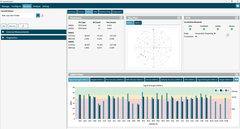
InertialConnect is the latest software solution for MicroStrain inertial sensors. With InertialConnect, you can easily configure your sensors, adjust parameters, upgrade firmware, and deploy preconfigured parameter files. You can also verify sensor outputs with intuitive visualizations, including times eries data, position data, and statuses.
InertialConnect is compatible with both PC desktop and Linux operating systems, making it your go-to solution for precision and efficiency in inertial sensor management.

SensorConnect is the next generation in desktop sensing software.
From configuration of nodes and starting networks, to collecting and analyzing data in real-time, SensorConnect provides a modern, powerful experience with our Wireless, Inertial, and Displacement products.
Using our intelligent data collection and graphing algorithms, you are able to visualize massive amounts of data instantly, and then zoom in on points of interest just as fast.
Built in MathEngine functionality allows for both real-time and post-processed math, such as generating FFTs, averages, RMS, etc.
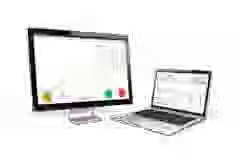
SensorCloud is a unique sensor data storage, visualization, and remote management platform that leverages powerful Cloud computing technologies to provide excellent data scalability, rapid visualization, and user programmable analysis.
MicroStrain sensors can instantly upload their data to SensorCloud via an ethernet-connected WSDA-2000. Once uploaded, your data is securely stored in the Cloud and can be accessed from anywhere, or downloaded for offline use.
Configurable alerts can be set to help notify you of real-time event in your data.
MathEngine allows you to perform analytics on your data, all in the Cloud. Pre-built functions are available for ease of use, while IPython Notebooks allow advanced users to write custom scripts to be run on their data once, or on a schedule.
The MicroStrain Communication Library (MSCL) is our open-sourced API that simplifies writing code to interact with our sensors. MIP SDK is a lightweight C/C++ library for interacting with MicroStrain G and C-series products via baremetal and resource constrained microcontrollers.
Both APIs are readily available and fully-documented on GitHub, featuring valuable tools such as full documentation, example code, and a quick start guide.



Dies vereint die Marken HBM, Brüel & Kjær, nCode, ReliaSoft und Discom und ermöglicht es Ihnen, schneller Innovationen für eine sauberere, gesündere und produktivere Welt zu schaffen.

Dies vereint die Marken HBM, Brüel & Kjær, nCode, ReliaSoft und Discom und ermöglicht es Ihnen, schneller Innovationen für eine sauberere, gesündere und produktivere Welt zu schaffen.

Dies vereint die Marken HBM, Brüel & Kjær, nCode, ReliaSoft und Discom und ermöglicht es Ihnen, schneller Innovationen für eine sauberere, gesündere und produktivere Welt zu schaffen.

Dies vereint die Marken HBM, Brüel & Kjær, nCode, ReliaSoft und Discom und ermöglicht es Ihnen, schneller Innovationen für eine sauberere, gesündere und produktivere Welt zu schaffen.

Dies vereint die Marken HBM, Brüel & Kjær, nCode, ReliaSoft und Discom und ermöglicht es Ihnen, schneller Innovationen für eine sauberere, gesündere und produktivere Welt zu schaffen.